Beyond a WhatsApp inbox
Bring WhatsApp, website chat, CRM follow-ups and team handover into a connected workflow. Manage channel instructions and approved business knowledge in one place.
WHY TECH247 CONNECT
Your business should not have to work around disconnected tools and growing storage pressure. Connect customer conversations, website assistants and team workflows in a workspace built around the way you work.

WHAT MAKES OUR APPROACH DIFFERENT
Our difference is the combination: business-specific AI assistance, connected customer workflows, flexible storage and visible controls. Configure the services included in your plan.
Bring WhatsApp, website chat, CRM follow-ups and team handover into a connected workflow. Manage channel instructions and approved business knowledge in one place.
Add a website chatbot or a voice assistant for spoken conversations. Build separate support, sales and information widgets, subject to your plan and setup.
Use configured image, video and voice capabilities alongside your business knowledge. Move difficult conversations to a human agent when needed.
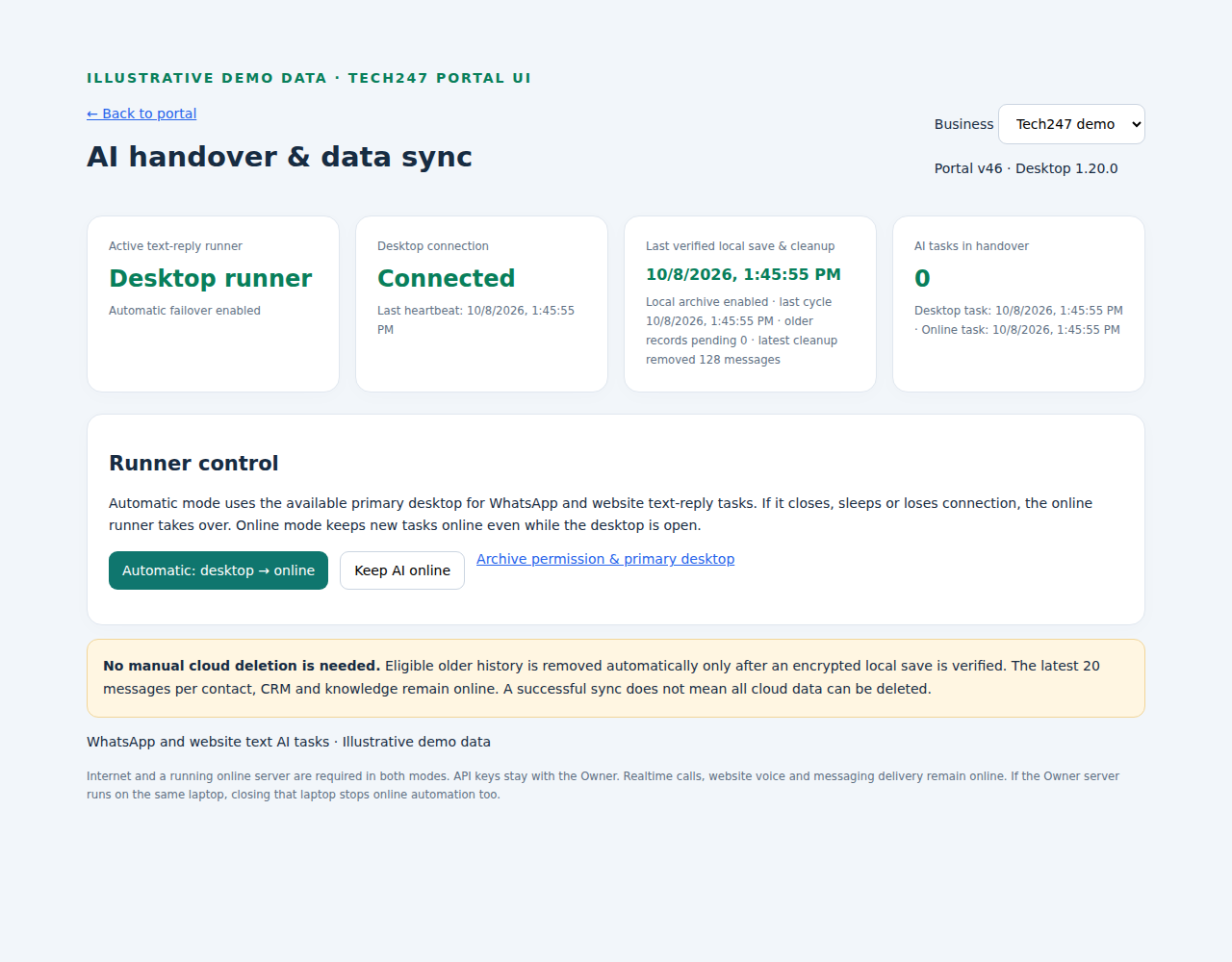
Use a desktop text AI runner when available and online fallback when it closes or disconnects. See the active runner and verified sync status.

THE CHALLENGE / TOO MANY TOOLS
When conversations, website support, knowledge and follow-ups live in separate places, your team spends more time finding context and deciding what to do next.
Organize customer conversations, specialist website widgets and team workflows around one business workspace. Give each assistant its own purpose and instructions.
Social channels and external integrations require supported, approved connectors. A listed channel is not a promise that every platform's DMs are connected.

THE CHALLENGE / STORAGE PRESSURE
A growing message history should not mean every old conversation has to stay in paid online storage forever.
Save eligible older inbox history in an encrypted archive on your Windows desktop. The system verifies the saved copy before automatically cleaning up the eligible cloud records.
“Unlimited desktop storage” means no fixed Tech247 Connect archive quota; actual capacity depends on your computer's available disk space. Online storage retains its package allowance, including the 1 GB base allowance. Knowledge, CRM, recent messages and required records remain online. Keep a backup of your Windows profile and important history.
THE CHALLENGE / THE WORKDAY ENDS
Desktop available? Route WhatsApp and website text AI tasks to it. Desktop asleep or disconnected? The online runner takes over. When you reconnect, local history sync can resume.
Interactive illustration, not live account status. Both modes need internet and a running online server. AI models still run with their cloud providers; API keys and messaging delivery stay server-side. Realtime calling and voice/audio services remain online. If your server runs on the same laptop, shutting it down stops automation.
LESS COMPLEXITY. MORE CLARITY.
Choose website chat, WhatsApp automation, spoken guidance and the right storage approach. Our team will confirm the scope, connection requirements and package permissions with you.
Feature availability depends on your plan, configuration, credentials and platform approvals. Tech247 Connect is independent software and is not affiliated with or endorsed by Meta or WhatsApp.